Changelog / Version 4.9
4.9 - Upload, analyze, share
Upload any video from your gallery to analyze it, share full sessions with a link, and filter exercises by purpose.
Version 4.9
March 13, 2026
Until now, to analyze your technique you had to record inside the app. If you already had the video on your phone, there was nothing you could do with it. And if you wanted your coach to see the full analysis, you had to explain it over WhatsApp. Both of those change today.
📂 Analyze videos from your gallery
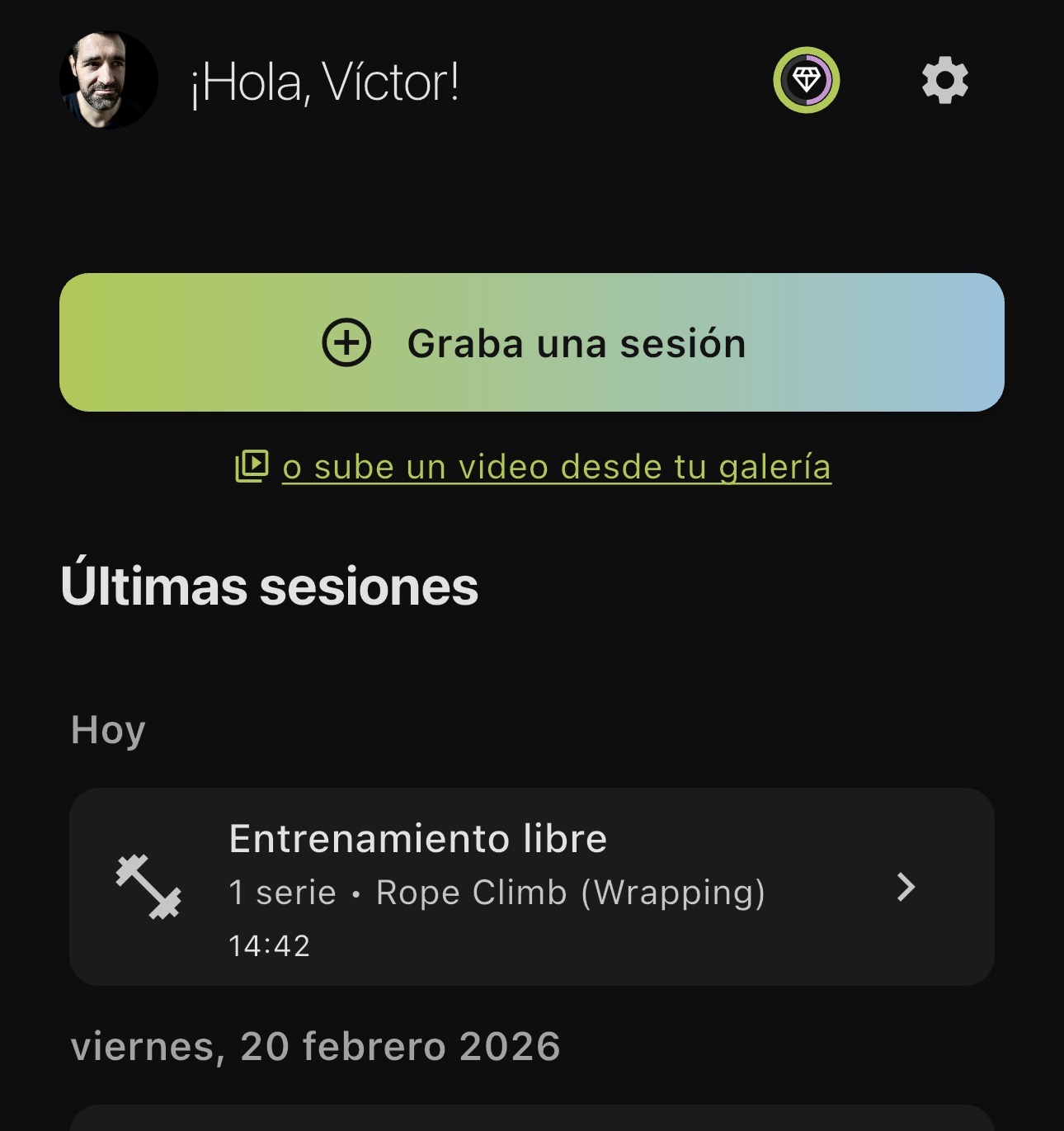
On the home screen, right below “Record a session”, you now see the link “or upload a video from your gallery”. One tap and your gallery opens.
Pick the video, a panel opens with a playable preview, an exercise selector and the “Analyze your technique” button. The video goes through the usual process: compression, upload, analysis. The report you get back is exactly the same as if you had recorded it inside the app.
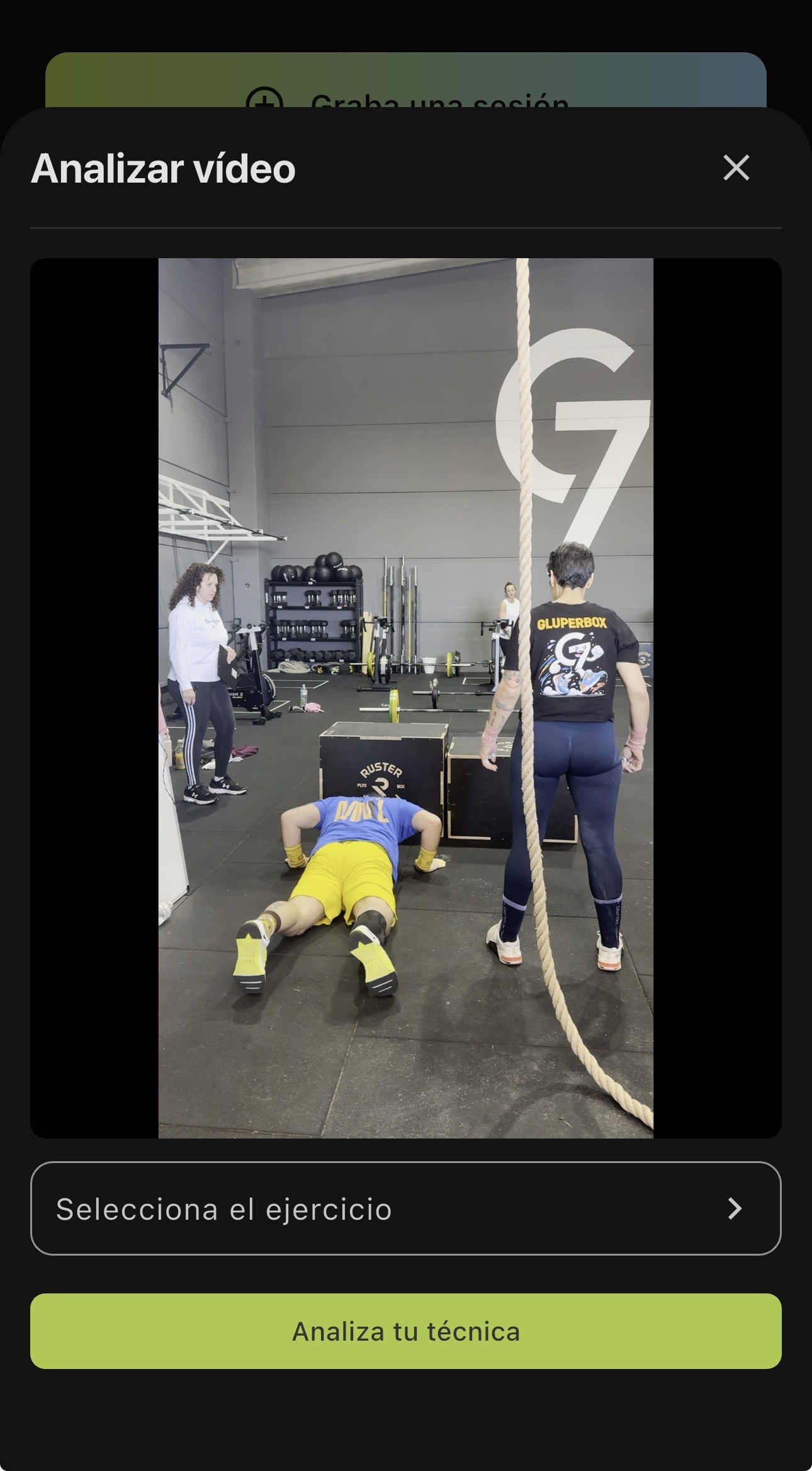
That video your training partner took last week, the set you saved a month ago, the video your coach sent you to review. All of that is now analyzable.
If the video is horizontal or longer than what your plan allows, the app warns you before processing. It’s a warning, not a wall: you decide whether to run the analysis.
🔗 Share your session with a link
Generate a link from any session and send it over WhatsApp, email or wherever you want. Whoever opens it sees exactly what you see: the videos of every set, the rep-by-rep analysis, the full feedback. All in read-only mode, no account needed.
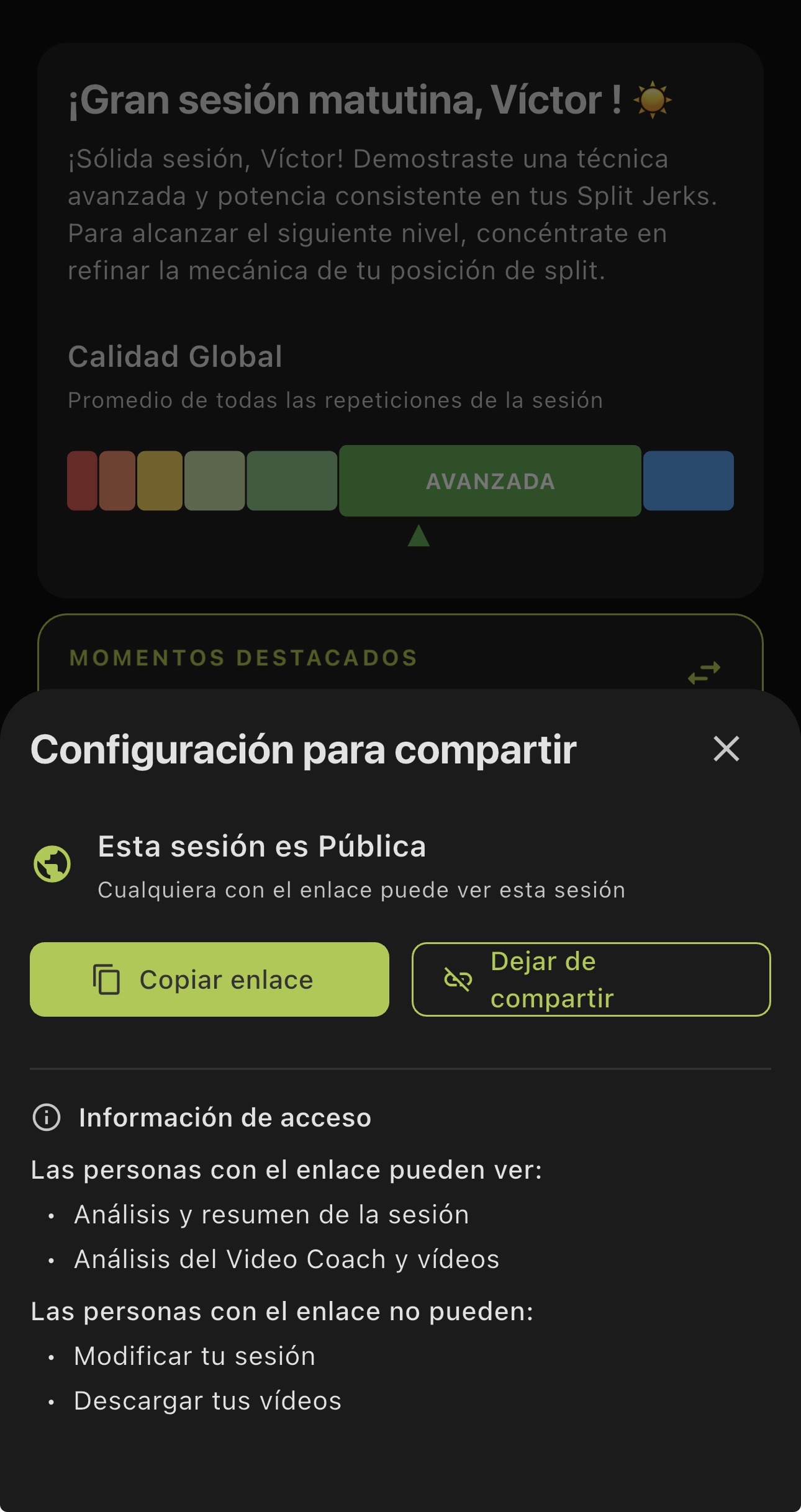
From the share settings you can copy the link or revoke it if you no longer want it accessible. You decide who sees your data and for how long.
This is different from the videos and cards from v4.6. Those were built for social: an image, a clip. The link is for someone to see your full session with all the detail.
🎯 Filter exercises by purpose
The catalog has more than 500 exercises. Finding what you’re looking for was already possible by family and muscle group. Now you can also filter by purpose: strength, power, conditioning, mobility and five more categories.
Tap the chip, pick one, and the catalog narrows down to what you need.
Update and get use out of the videos you already have.

Stop Training Blind. Start Improving Today.
Download FITIZENS and get 10 analyses completely free. No credit card, no commitment.




✓ 10 free analyses on install • No credit card needed