Changelog / Version 4.7
4.7 - Revisit every session
New history with monthly calendar, filters by exercise and date, and a re-analysis option. Revisit any past session and track your progress.
Version 4.7
February 24, 2026
Two new things: find any session in seconds, and ask the AI to run an analysis again if the rep count isn’t right.
📅 Your sessions, organized
Your sessions have always been there. But finding that set of cleans from last Tuesday meant scrolling until you hit it.
You now have a monthly calendar. The days you trained are marked. Tap a day and you only see the sessions from that date. Tap the week number and you filter the whole week.
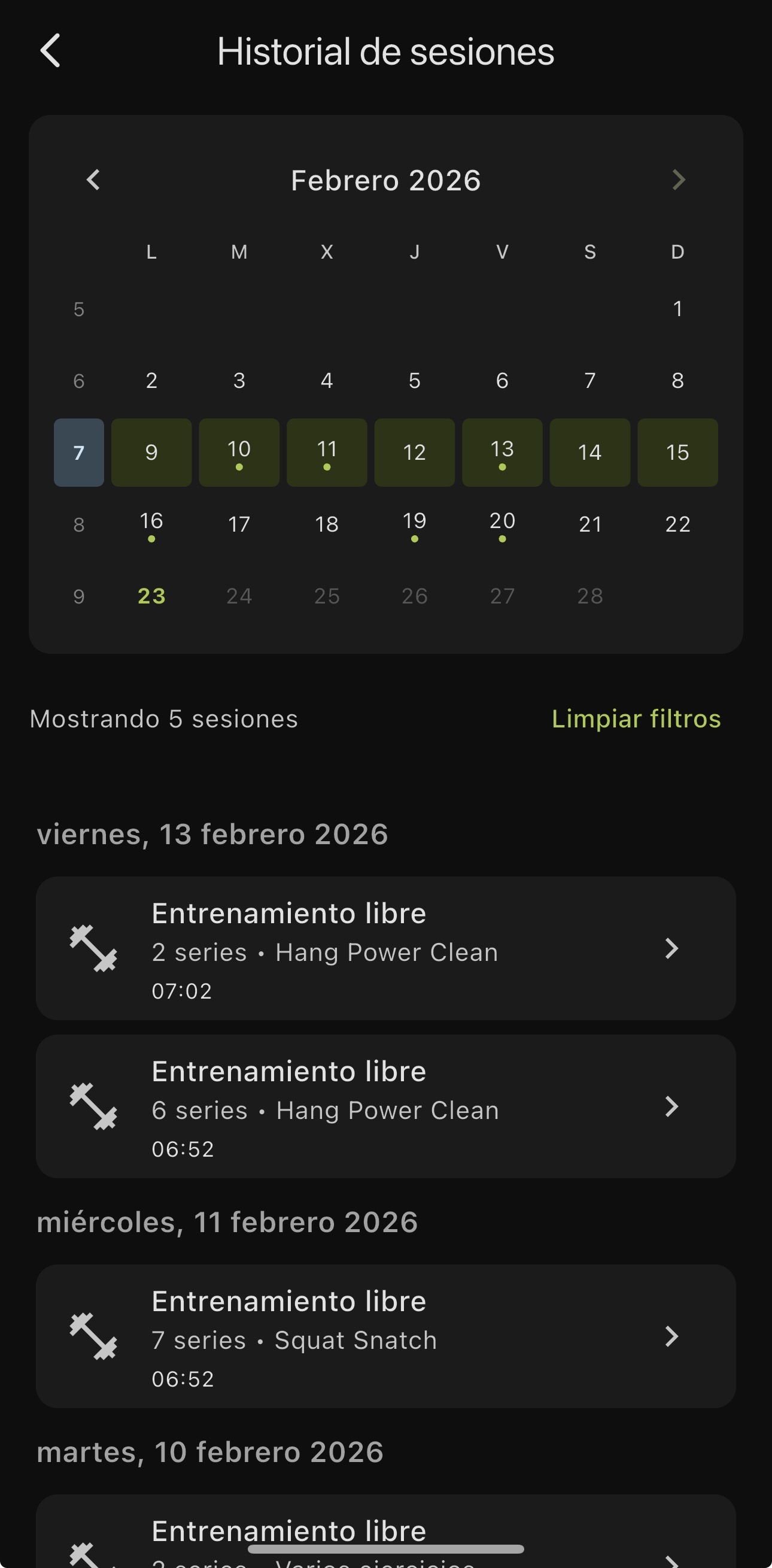
The home screen now shows your 5 most recent sessions with a “See all” button that takes you to the full history.
🔄 Request a re-analysis
Sometimes the AI miscounts reps. It detects 4 instead of 5, or groups two into one. Before, there was nothing you could do about it.
Now, under each set analysis you see the link “Is the rep count wrong?”. One tap, confirm, and the AI re-analyzes the video from scratch. No re-recording, no waiting around. It uses one analysis credit from your plan.
🔧 Under the hood
- Fix to the full-screen analysis view. The set video now shows the correct analysis at all times.
- UI polish and bug fixes.
Update and go back through your sessions.

Stop Training Blind. Start Improving Today.
Download FITIZENS and get 10 analyses completely free. No credit card, no commitment.




✓ 10 free analyses on install • No credit card needed